Steps to Success
Apply for College
Apply for College

Follow these steps to complete your application to Coastal Bend College:

1. Complete the ApplyTexas Application
Visit ApplyTexas to create an account and start a new 2-year college application. 

  • Complete all core questions.
  • Under school search, select Coastal Bend College.
  • Select the application for the term you are planning on attending.
  • Complete the Coastal Bend College application and click submit.

2. Submit Official Transcripts
    
Can be submitted any of the following ways:

  • If sending by mail, transcripts must be in the original sealed envelope and sent to the following address:

          Coastal Bend College
          Attn: Admissions/Registrar
          3800 Charco Road
          Beeville, Texas 78102

  • High School official transcripts (with graduation date) or College official transcripts may be sent using an encryption service provider (e.g., Parchment, Scribbles, National Student Clearinghouse, etc.); sent by the college or high school to: admissions@coastalbend.edu
  • Texas High Schools and Colleges may use TREX to send official transcripts
  • Home school transcripts must be notarized, and sent by mail or brought in person.
  • GED official score reports may be ordered at GED Testing Service sent by mail or email from the GED company, by using the college email  address: admissions@coastalbend.edu
  • Foreign transcripts must be evaluated and translated from any company listed at the NACES site. The original, official foreign transcript and translated transcript must accompany the evaluated documents.

3. Submit Proof of Bacterial Meningitis Vaccination

  • Required for students 21 years old and younger
  • Vaccination Record can be submitted through our online form. 


4. TSI Scores
If you took the TSI exam at another institution or your high school, fill out the TSIA Cross-Institution Release Form.


5. Transfer Students

If you are transferring credits to Coastal Bend College, complete the online transfer evaluation form.


For additional details on the admissions process, visit the Coastal Bend College Admissions page.
 

Apply for Financial Aid

advisor with studentsComplete and Submit the FAFSA

The Free Application for Federal Student Aid (FAFSA) is a form used to apply for financial aid for college. By completing the FAFSA, you can determine your eligibility for federal grants, loans, and work-study programs to help cover tuition and other college expenses.

1. Apply for Financial Aid
Complete the FAFSA online at studentaid.gov.

2. Apply for CBC Scholarships
Don't forget to also apply for Coastal Bend College scholarships to increase your chances of receiving financial assistance. Click here for more information. 

3. Need Help?
For additional support, reach out to the CBC Financial Aid Office at finaid@coastalbend.edu.

Meet with a Success Coach

advisor with studentsSchedule an appointment with a CBC Success Coach.
Email studentsuccess@coastalbend.edu to schedule an appointment with a CBC Success Coach. They can assist you in person, virtually, or over the phone.

Why meet with a CBC Success Coach?

A Success Coach plays a vital role in helping you stay on track to graduate on time. They work with you to:

  • Create a personalized academic plan that aligns with your educational and career goals.
  • Ensure you are taking the correct courses in the right sequence to meet degree requirements.
  • Identify any obstacles that could delay your progress and help you find solutions, such as tutoring or time management strategies.
  • Monitor your academic performance and recommend adjustments if necessary to avoid setbacks.
  • Provide support with registration, financial aid questions, and other services to keep you focused on your path to graduation.
Register for Classes

advisor with studentsCheck TSI requirements.
The Texas Success Initiative (TSI) is a state-mandated placement test to assess college readiness in reading, writing, and math. Determine if you need to complete the TSI or if you qualify for an exemption. Visit the Testing Department for information on placement exam requirements .

New students.
If you're new to CBC, it's recommended to meet with a Success Coach or faculty advisor. To connect with a coach, email studentsuccess@coastalbend.edu.

Returning students.
If you're a returning student without any holds, you can register online through the Cougar Den. 

Log into the Cougar Den at Cougar Experience Portal.

Students may contact the student help desk for assistance with Cougar Den. 
E-mail Support: helpdesk@coastalbend.edu
Telephone Support: 866-722-2838 ext. 2506 (Toll Free) OR 361-354-2506 (Direct line)

Plan ahead:
Be sure to check the payment deadlines on the CBC Academic Calendar. If you do not pay for your classes by the deadline, your enrollment may be dropped for non-payment.

Pay for your CBC Classes

Pay online by logging into your Cougar Den Account. You can pay by debit and credit card and even set up a payment plan.

Pay in-person at your nearest CBC location (Alice, Beeville, Kingsville, & Pleasanton)   

If you are receiving financial aid, please check the checklist the Financial Aid checklist in Cougar Den to determine if you need to submit additional documents and to check your status. 

Apply for Graduation

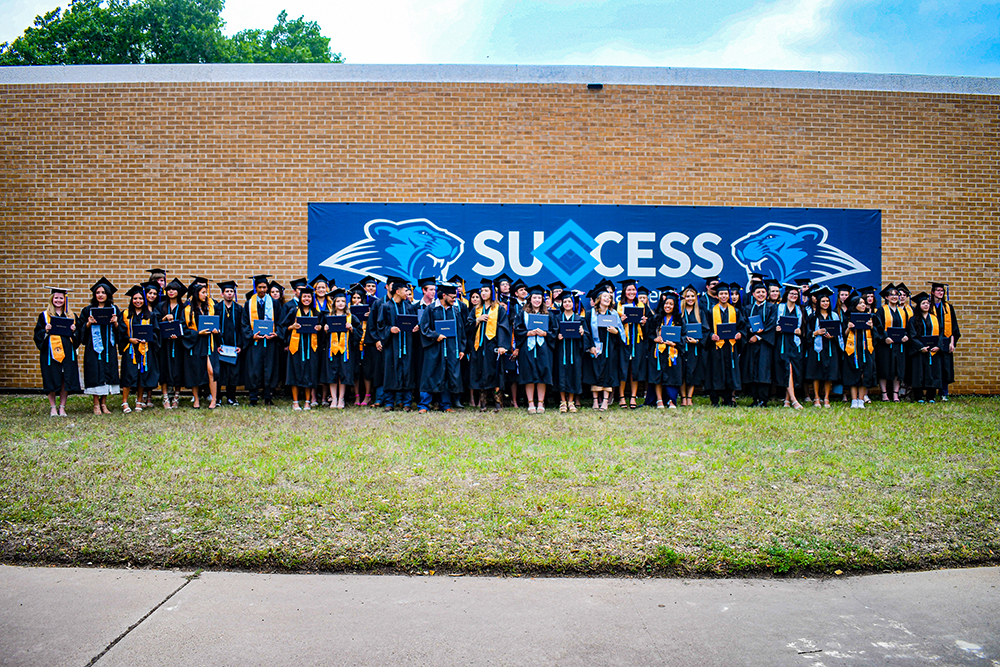
Learn more about upcoming ceremonies by clicking here.

Important: Late applications may result in your name being left out of the commencement program and delays in your graduation audit. Also, be sure to check your student email for details on RSVP ticketing and rehearsal information.  Congratulations on reaching this important milestone!

Success Happens Here!

Apply for College
Apply for College

Follow these steps to complete your application to Coastal Bend College:

1. Complete the ApplyTexas Application
Visit ApplyTexas to create an account and start a new 2-year college application. 

  • Complete all core questions.
  • Under school search, select Coastal Bend College.
  • Select the application for the term you are planning on attending.
  • Complete the Coastal Bend College application and click submit.

2. Submit Official Transcripts
    
Can be submitted any of the following ways:

  • If sending by mail, transcripts must be in the original sealed envelope and sent to the following address:

          Coastal Bend College
          Attn: Admissions/Registrar
          3800 Charco Road
          Beeville, Texas 78102

  • High School official transcripts (with graduation date) or College official transcripts may be sent using an encryption service provider (e.g., Parchment, Scribbles, National Student Clearinghouse, etc.); sent by the college or high school to: admissions@coastalbend.edu
  • Texas High Schools and Colleges may use TREX to send official transcripts
  • Home school transcripts must be notarized, and sent by mail or brought in person.
  • GED official score reports may be ordered at GED Testing Service sent by mail or email from the GED company, by using the college email  address: admissions@coastalbend.edu
  • Foreign transcripts must be evaluated and translated from any company listed at the NACES site. The original, official foreign transcript and translated transcript must accompany the evaluated documents.

3. Submit Proof of Bacterial Meningitis Vaccination

  • Required for students 21 years old and younger
  • Vaccination Record can be submitted through our online form. 


4. TSI Scores
If you took the TSI exam at another institution or your high school, fill out the TSIA Cross-Institution Release Form.


5. Transfer Students

If you are transferring credits to Coastal Bend College, complete the online transfer evaluation form.


For additional details on the admissions process, visit the Coastal Bend College Admissions page.


Apply for Financial Aid

advisor with studentsComplete and Submit the FAFSA

The Free Application for Federal Student Aid (FAFSA) is a form used to apply for financial aid for college. By completing the FAFSA, you can determine your eligibility for federal grants, loans, and work-study programs to help cover tuition and other college expenses.

1. Apply for Financial Aid
Complete the FAFSA online at studentaid.gov.

2. Apply for CBC Scholarships
Don't forget to also apply for Coastal Bend College scholarships to increase your chances of receiving financial assistance. Click here for more information. 

3. Need Help?
For additional support, reach out to the CBC Financial Aid Office at finaid@coastalbend.edu.

Meet with a Success Coach

advisor with studentsSchedule an appointment with a CBC Success Coach.
Email studentsuccess@coastalbend.edu to schedule an appointment with a CBC Success Coach. They can assist you in person, virtually, or over the phone.

Why meet with a CBC Success Coach?

A Success Coach plays a vital role in helping you stay on track to graduate on time. They work with you to:

  • Create a personalized academic plan that aligns with your educational and career goals.
  • Ensure you are taking the correct courses in the right sequence to meet degree requirements.
  • Identify any obstacles that could delay your progress and help you find solutions, such as tutoring or time management strategies.
  • Monitor your academic performance and recommend adjustments if necessary to avoid setbacks.
  • Provide support with registration, financial aid questions, and other services to keep you focused on your path to graduation.
Register for Classes

advisor with studentsCheck TSI requirements.
The Texas Success Initiative (TSI) is a state-mandated placement test to assess college readiness in reading, writing, and math. Determine if you need to complete the TSI or if you qualify for an exemption. Visit the Testing Department for information on placement exam requirements .

New students.
If you're new to CBC, it's recommended to meet with a Success Coach or faculty advisor. To connect with a coach, email studentsuccess@coastalbend.edu.

Returning students.
If you're a returning student without any holds, you can register online through the Cougar Den. 

Log into the Cougar Den at Cougar Experience Portal.

Students may contact the student help desk for assistance with Cougar Den. 
E-mail Support: helpdesk@coastalbend.edu
Telephone Support: 866-722-2838 ext. 2506 (Toll Free) OR 361-354-2506 (Direct line)

Plan ahead:
Be sure to check the payment deadlines on the CBC Academic Calendar. If you do not pay for your classes by the deadline, your enrollment may be dropped for non-payment.

Pay for your CBC Classes

Pay online by logging into your Cougar Den Account. You can pay by debit and credit card and even set up a payment plan.

Pay in-person at your nearest CBC location (Alice, Beeville, Kingsville, & Pleasanton)   

If you are receiving financial aid, please check the checklist the Financial Aid checklist in Cougar Den to determine if you need to submit additional documents and to check your status. 

Apply for Graduation

Learn more about upcoming ceremonies by clicking here.

Important: Late applications may result in your name being left out of the commencement program and delays in your graduation audit. Also, be sure to check your student email for details on RSVP ticketing and rehearsal information.  Congratulations on reaching this important milestone!

Success Happens Here!